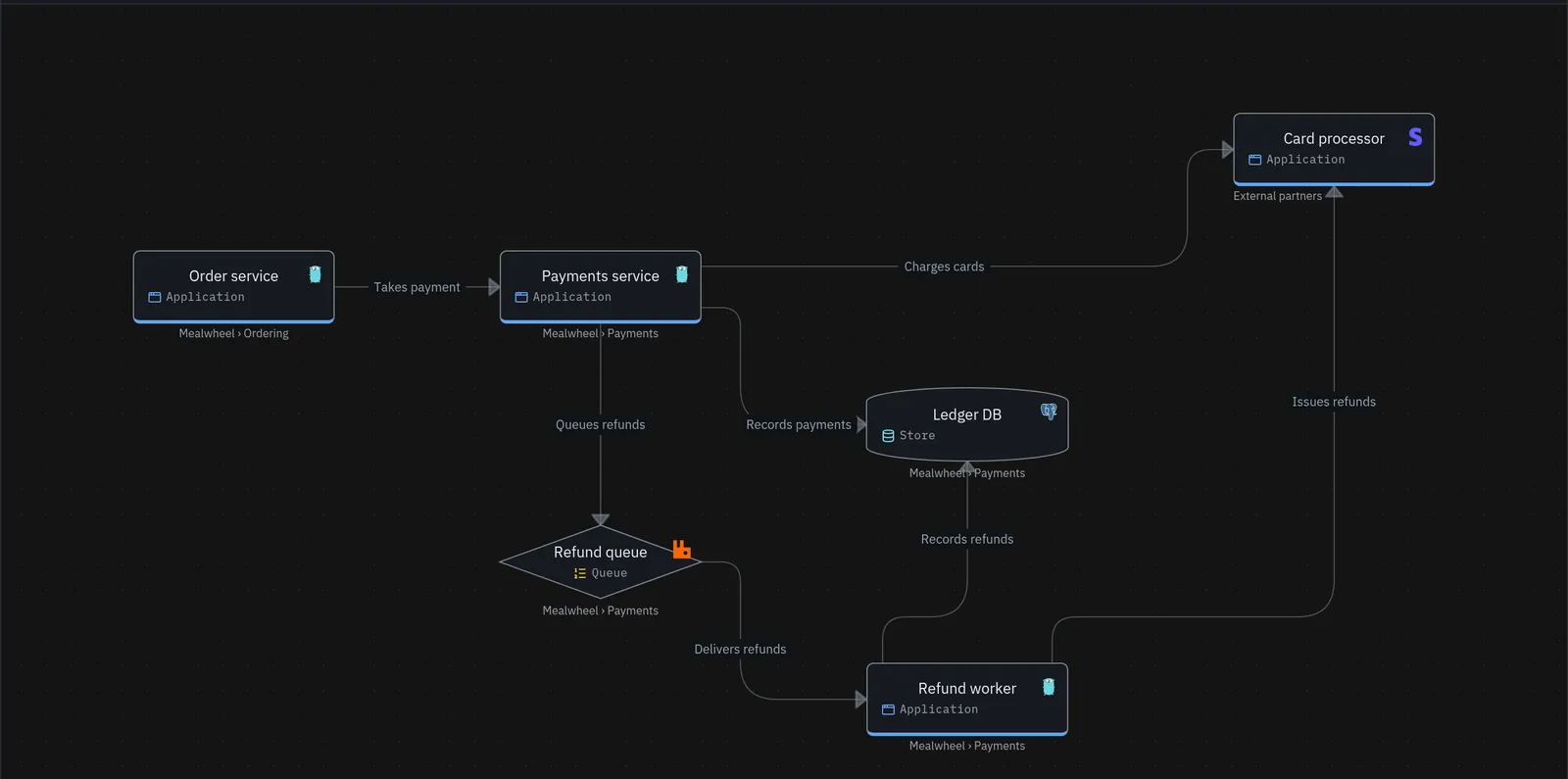
What is the C4 model?
The C4 model was created by Simon Brown. It gives teams a small, shared set of words and four zoom levels for drawing software. Each level answers a different question for a different reader.
The four Cs are Context, Container, Component and Code.
The four levels
1. System context
Question: what is this system, who uses it, and what does it talk to?
One box for your system, plus the people and outside systems around it. No tech details. Anyone in the company should understand it, including sales and support.
2. Container
Question: what are the big running pieces inside the system?
A "container" here is anything that runs or stores data on its own: a web app, a mobile app, an API, a database, a queue. (It's not a Docker container, though it might run in one.) This is the level most engineers find most useful.
3. Component
Question: how is one container built inside?
Zoom into one container and show its main parts: controllers, services, repositories. Draw this only for containers where it helps.
4. Code
Question: what classes or functions make up one component?
Most teams skip this level. Your IDE already draws it, and it goes out of date the moment someone commits.
Supporting diagrams
- System landscape: every system in the company on one page. The "zoomed all the way out" view.
- Dynamic diagram: numbered steps showing how a single request moves through the system.
- Deployment diagram: which containers run on which servers, clusters or cloud regions.
Common mistakes
- Mixing levels. Putting a database table next to a whole external system on the same diagram. Pick one zoom level per diagram.
- Unlabelled arrows. An arrow should say what it does ("sends orders to", "reads from") and, at container level, how (HTTPS, SQL, AMQP).
- No key. Say what colours and shapes mean.
- Drawing it all by hand, in many files. Five diagrams that each contain "Orders DB" means five places to update when it changes. This is why C4 diagrams go stale.
How to keep C4 diagrams up to date
C4 works best as a model, not a set of drawings. Describe each system, container and component once, then draw diagrams as views of that model. Change the model, and every diagram follows.
You can do this in code (Structurizr's DSL is the classic example) or in a visual modelling tool. Obelisk is the visual kind. It isn't a C4 tool, though: C4 is one way to use it.
Model, views and change
Obelisk keeps one model of your architecture. Diagrams and simulations are views of that model, and drafts, decision records and history are how it changes.
- Model: objects and the connections between them. The truth. Objects nest, and each object has exactly one parent, or none if it sits at the top.
- Views: diagrams, the flows told on them, and simulations. A diagram is a list of the objects you chose to show. It owns none of them, so renaming the API renames it on every diagram. A simulation sends traffic through the model and shows where it goes and where it drops.
- Change: drafts, decision records and history. Propose a change in a draft, record why you made it, and see what changed and when.
C4 and Obelisk, side by side
Obelisk keeps C4's best idea, one model drawn at different zoom levels. It drops the fixed ladder of element kinds and levels. Real systems don't stop at four levels, and some stop at two. Not every thing fits one of four element kinds.
| C4 | Obelisk | Why it differs |
|---|---|---|
| Four fixed element kinds: Person, Software System, Container, Component | An editable catalog of object types: Actor, Application, Store, Queue, Component, and more | A type says what a thing is, not which rung it sits on |
| Four fixed levels | Objects nest as deep as reality needs. The level is how deep an object sits | Real systems don't stop at four, and some stop at two |
| A diagram type declares its level (System Context, Container, …) | A diagram is a list of members. Its level is how deep they reach | The same object can sit on a context diagram and a component diagram |
| Relationship | Connection, with an optional via, such as a queue between two apps | A via is a real participant in dependencies |
| Dynamic diagram | Flow | Same idea: an ordered path told on one diagram |
| System landscape diagram | A diagram of top-level objects | — |
| Deployment diagram | A diagram of infrastructure objects, with each app connected to what it runs on | An object has one parent, so it can't sit inside its system and its cluster at once. See below |
| Model-based C4 tools | Same core idea: every diagram is a view of one model | Obelisk adds simulations as views |
| — | Simulations, drafts, snapshots | No C4 equivalent |
Levels come from the members
An object's level is how deep it sits in the model. A diagram's level is how deep its members reach. A diagram of top-level objects reads as a system context diagram. A diagram of the Online store's children reads as a container diagram. Nobody set either level. Change the members, and the level changes with them.
When an object and its children are on the same diagram, the object draws as a frame around them. That frame is C4's system boundary, for free.
Arrows find the right level too. Say the API's Orders controller calls the Payment provider. On the API diagram, the arrow runs from the Orders controller. On the Online store diagram, it runs from the API. On the landscape, it runs from the Online store.
The recipe for strict C4
Teams that want strict C4 get it in three steps.
- Model what really exists. Nest each thing inside what it is really part of: the Web app, API and Orders DB inside the Online store, and the API's parts inside the API. Ignore levels while you model.
- Connect the real parts. If the Orders controller calls the Payment provider, connect those two. Higher-level diagrams still show the arrow, at their own level.
- Build C4 with diagram folders. On the Diagrams page, make folders named after the levels and file each diagram where it belongs.
Context/
  Landscape overview        ← top-level objects only
  Containers/
    Online store            ← the store's children
    Components/
      API                   ← the API's children
Folders organize the Diagrams list only. They never change the model or the canvas. Moving a diagram to another folder changes nothing about what it shows. Try it in the demo at the top.
Object types for C4 elements
Every organization starts with these object types. Use the one that says what the thing is.
- Person: Actor.
- Software system: Application, with its parts nested inside.
- Container: Application, Store, Queue or Event stream, whichever it is.
- Component: Component.
- Deployment node: Server, or Boundary for a cloud account, a VPC or a namespace.
Want the word System? An admin can add a System type. That's fine: it says what the thing is.
Deployment diagrams
A C4 deployment diagram puts containers inside the servers and clusters they run on. In Obelisk, an object has one parent. The API already sits inside the Online store, so it can't also sit inside the cluster.
Model the infrastructure as objects of its own instead. Add a Server for the cluster, connect each app to it ("Runs on"), and draw the hosts and apps on one diagram in a Deployment folder. This tells Obelisk something true: the API depends on the cluster, so the cluster's dependents list every app that stops when it does.
For a quick picture without new objects, group the apps on one diagram. A diagram group is a named frame on that diagram only. It never enters the model.